
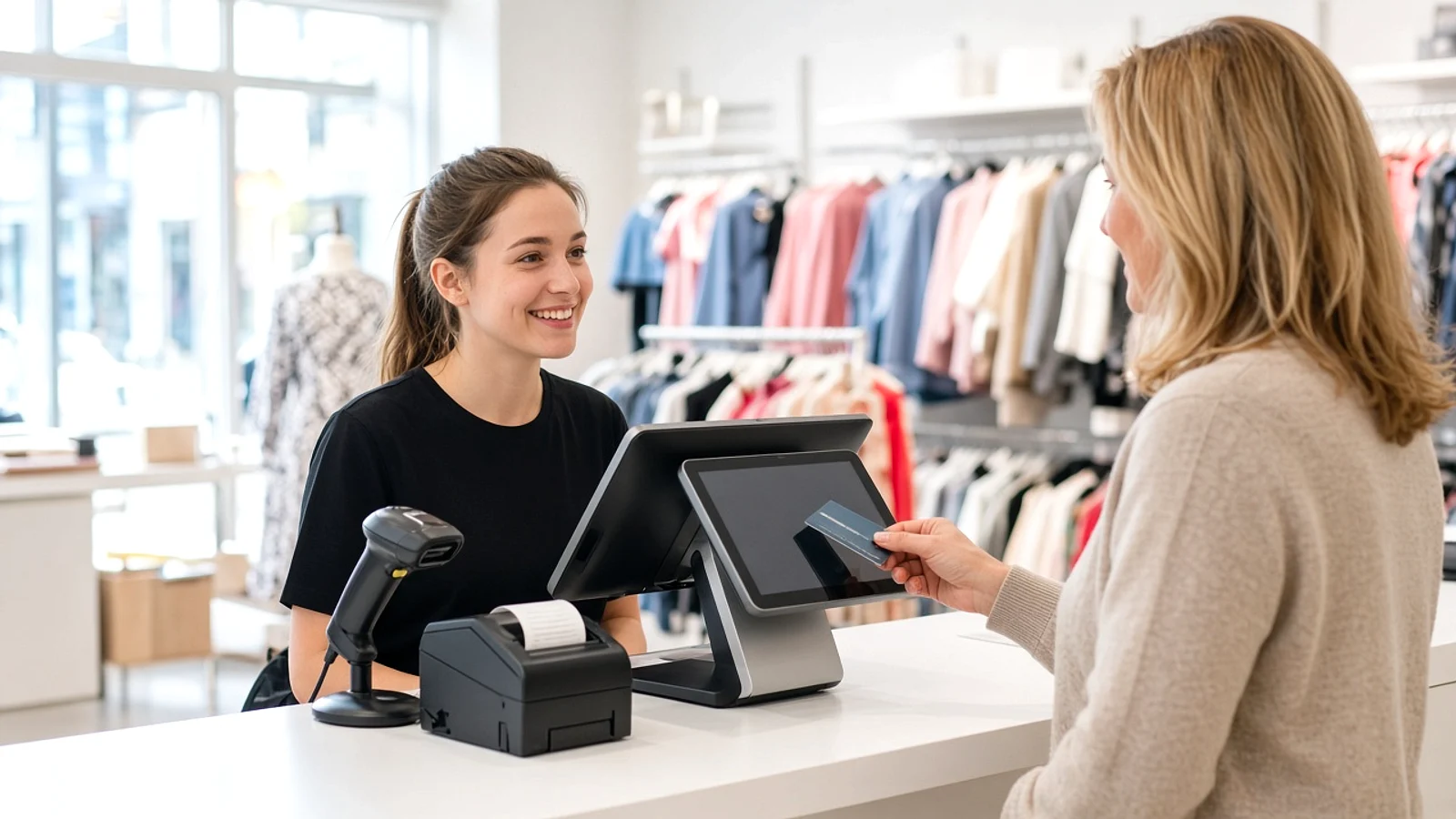
Ever had a busy shop queue or a restaurant checkout slow to a crawl? A good point-of-sale (POS) system can make those daily tasks much easier.
It helps businesses process payments, track stock, manage sales, and serve customers faster. But building the right system takes more than a digital till.
A POS software development guide for UK retail and hospitality should cover local business needs, VAT rules, payment security, and reliable software design.
In this blog, we'll explore key features, system architecture, UK compliance, development steps, costs, and common mistakes.
What is POS (Point of Sale) Software, and What Is the Market Overview in the United Kingdom
POS software is a digital system that helps businesses process sales, accept payments, track stock, manage orders, and view sales reports. Retail shops use it to manage products and checkout, while restaurants use it to handle menus, tables, and bills.
Key POS Market Statistics for the UK
- The U.K. POS software market was valued at USD 871.4 million in 2024 and is projected to reach USD 1,498.8 million by 2030, growing at a 9.4% CAGR from 2025 to 2030.
- The U.K. POS software market is projected to reach USD 1.49 billion by 2030, growing at a 9.4% CAGR (2025–2030). The fixed segment held a 54.9% market share in 2024.
How Does POS Software Architecture Work?
A typical POS software architecture includes these main parts:
- POS interface: Lets staff scan products, enter orders, apply discounts, and process sales.
- Backend server: Handles business rules, orders, stock updates, and user permissions.
- Database: Stores products, prices, sales, staff accounts, and transaction records.
- Cloud hosting: Supports remote access, central reporting, backups, and multi-location management.
- Payment integration: Connects the POS to payment terminals and payment service providers.
- API integrations: Connects accounting tools, e-commerce platforms, delivery services, and other business systems.
- Offline mode: Allows selected tasks to continue during internet outages, depending on system design.
- Sync service: Sends locally saved transactions to the server when the connection returns.
- Security layer: Uses access controls, encryption, audit logs, and secure update processes.
- Monitoring and backups: Helps detect failures and restore data after technical problems.
What Are the Benefits of POS Software Development for UK Retail and Hospitality?
Custom POS software helps UK shops, cafés, and restaurants speed up sales, track stock, manage orders, and make better business decisions.
1. Faster Checkout and Better Customer Service
A POS system speeds up checkout with barcode scanning, quick payments, and simple refunds. Staff spend less time on billing and more time helping customers.
2. Better Stock and Inventory Control
Real-time inventory tracking helps businesses monitor stock levels, record sales, and spot low-stock items. Retailers can reduce errors and make smarter purchasing decisions.
3. Easier Management Across Multiple Locations
Cloud-based POS software brings sales reports, product data, and stock records into one place. Owners can compare store performance and manage several locations more easily.
4. Smarter Business Reports and Decisions
POS analytics show sales trends, popular products, busy hours, and staff performance. Integrating POS with ERP systems can also connect sales, finance, and inventory planning, helping businesses assess ERP software development cost UK.
5. Features Built Around Your Business
Custom POS development supports specific retail and hospitality needs, from barcode scanning to table management and kitchen orders. Businesses can choose features that fit their workflows instead of paying for tools they rarely use.
Essential Features to Include in a UK POS System
A reliable UK POS system helps shops, cafés, pubs, and restaurants manage sales, stock, payments, and daily tasks with less hassle.
1. Fast Checkout and Flexible Payments
A good POS system supports barcode scanning, contactless cards, chip and PIN, mobile wallets, refunds, and split payments. It helps UK retailers and hospitality teams serve customers quickly, even during busy periods.
2. Third-Party Integrations and Custom Modules
Connect the POS with accounting tools, e-commerce shops, delivery platforms, payment terminals, and ERP software. A POS development company UK businesses choose should build and test these integrations around real retail or hospitality workflows, not just add features for the sake of it.
3. Real-Time Stock and Inventory Tracking
Track product levels, deliveries, returns, and low-stock alerts from one screen. Retail shops can manage sizes and product variants, while cafés and restaurants can monitor ingredients and reduce waste.
4. UK VAT and Sales Reporting
The system should apply the correct VAT rates to products and services, record taxable sales, and produce clear reports for bookkeeping. Check that its accounting features fit your business and any applicable HMRC requirements.
5. Table, Menu, and Kitchen Management
Pubs, cafés, and restaurants need features such as table plans, menu options, order notes, bill splitting, and kitchen display screens. These tools help staff send accurate orders to the kitchen and keep service moving.
6. Staff Accounts and Access Controls
Give each employee a separate login with permissions that match their role. Managers can review refunds, discounts, till activity, and shift reports, while audit logs help businesses track changes and spot mistakes.
7. Customer Profiles and Loyalty Rewards
Store customer details with proper consent and offer loyalty points, digital receipts, discounts, or targeted promotions. UK retailers and hospitality businesses can use purchase history to reward regular customers while protecting personal data.
8. Cloud Access, Backups, and Offline Mode
Cloud reporting lets owners check sales across branches without being on site. A setup using VPS and modular cloud solutions can support flexible growth, but plan for backups, secure access, and offline sales if the internet drops.
UK-Specific POS Requirements: VAT, HMRC, and Data Protection
A UK POS system must handle VAT, protect customer data, secure card payments, and record staff tips correctly.
- VAT calculation: Apply the correct VAT rate to each sale and keep clear records for tax reports and refunds.
- Making Tax Digital (MTD) for VAT: Support digital VAT records and compatible software links for businesses covered by HMRC rules.
- UK GDPR and customer data protection: Protect customer names, emails, and purchase records with secure access and careful data handling.
- PCI DSS and card payment security: Use secure payment terminals and approved payment services to help protect card data and reduce security risks.
- Hospitality tips, gratuities, and service charges: Record tips and service charges separately, and support fair tip sharing under UK rules.
POS Development Process: From Discovery to Launch
Building a POS system for UK retail and hospitality takes more than writing code. Each step should match how staff sell products, take orders, manage stock, and handle payments.
1. Requirements Gathering and Workflow Mapping
Start by learning how the business runs each day. A high-street shop may need barcode scanning and stock control, while a pub may need table management, kitchen orders, and split bills.
The development team should:
- Speak with shop owners, managers, cashiers, and waiting staff.
- Map key tasks, from taking an order to issuing a receipt.
- List needs for VAT, refunds, discounts, staff roles, and sales reports.
- Check existing tools, such as accounting software and online stores.
- Set a clear budget, timeline, and list of must-have features.
Deliverable: A requirements document with user roles, workflows, system features, and project goals. This helps prevent costly changes later.
2. UX Design and Prototype Validation
A POS screen should be easy to use during a busy lunch rush or a long checkout queue. Staff need clear buttons, simple menus, and quick access to common tasks. Too many steps can slow service and lead to mistakes.
The team creates wireframes and clickable prototypes before full development begins. Staff can test tasks such as scanning an item, changing an order, processing a refund, or splitting a restaurant bill.
- Design screens for tills, tablets, and supported touch devices.
- Keep key actions easy to find.
- Show clear messages when a payment or order fails.
- Test the layout with real users and improve it based on their feedback.
Deliverable: A tested design that shows how staff will use the POS before developers build the full system.
3. Database and API Development
The database stores products, prices, sales, stock levels, staff accounts, and transaction records. APIs allow the POS to share data with other systems, such as accounting tools, e-commerce platforms, and delivery services.
The data design matters. A stock change at one branch should not create a false stock count at another. The system also needs clear rules for refunds, duplicate requests, and internet outages.
Key tasks include:
- Design tables for products, orders, payments, users, and inventory.
- Set access rules for staff and managers.
- Build APIs for approved third-party connections.
- Add audit logs, backups, and secure data handling.
- Plan how to sync sales when a connection returns.
Deliverable: A secure data layer and reliable APIs that support daily sales and future growth.
Example POS tech stack
The right stack depends on the system's size, hardware, offline needs, and team skills. Here is one possible setup, not a fixed rule.
| Technology layer | Example options | Main purpose |
|---|---|---|
| Frontend | React, TypeScript | Builds the till screens and admin dashboard |
| Windows till app | .NET, WPF | Supports Windows-based tills and local devices |
| Backend | Node.js, .NET | Runs sales rules, orders, and stock updates |
| Database | PostgreSQL, SQL Server | Stores sales, products, users, and stock records |
| APIs | REST APIs, OpenAPI | Connects accounting, e-commerce, and other tools |
| Cloud hosting | Azure, AWS | Runs shared services, reporting, and backups |
| Testing | Jest, Playwright | Checks key features and user journeys |
Choose tools based on the project needs. A small café may not need the same setup as a retailer with several branches and an online store.
4. Retail and Hospitality Module Development
Build the core POS features around the business's daily tasks. Retail shops and hospitality venues share some needs, but their workflows differ. A shop sells products, while a restaurant manages menus, tables, and kitchen orders.
For UK retail businesses:
- Barcode scanning, product variants, pricing, and discounts.
- Stock tracking, purchase orders, returns, and exchanges.
- Sales reports by product, branch, and time period.
- Click-and-collect and e-commerce links, where needed.
For cafés, pubs, and restaurants:
- Menu options, table plans, and order notes.
- Kitchen display screens and order status updates.
- Split bills, refunds, and service charge handling.
- Ingredient tracking and waste records, where required.
Build the essential features first. Test each module with realistic tasks before adding extras. This keeps the project focused and helps control development costs.
5. Payment and Hardware Integration
A POS system must work with the devices staff use every day. These may include card payment terminals, receipt printers, barcode scanners, cash drawers, and kitchen printers.
Payment integration needs special care. The till should receive a clear payment result and avoid recording the same sale twice if a connection fails.
The development team should:
- Connect supported card terminals and payment service providers.
- Test contactless, chip and PIN, refunds, and failed payments.
- Check printer, scanner, and cash drawer compatibility.
- Use secure payment methods that limit exposure to card data.
- Test device behaviour during network or power interruptions.
UK-specific check: Confirm that the payment setup meets relevant PCI DSS requirements. Using a third-party terminal can reduce the card data your POS handles, but it does not automatically make the whole system compliant.
6. Testing, Pilot Deployment, and Staff Training
A POS system may work well in a demo and still fail during a busy Saturday. Test it under realistic conditions before rolling it out across the business.
Testing should cover:
- Sales, refunds, discounts, and VAT calculations.
- Stock updates across tills and branches.
- Card payments, failed transactions, and duplicate requests.
- User permissions, data security, and backup recovery.
- Offline sales and data syncing after the connection returns.
- Hardware compatibility and system speed during busy periods.
Next, run a pilot deployment in one shop, café, or restaurant. Ask staff to use the system during normal shifts and report problems. Fix the main issues before expanding the rollout.
Train staff with short, task-based guides. Show them how to take payments, correct orders, issue refunds, and get help when something goes wrong.
7. Production Launch and Ongoing Support
Launch the POS in stages when possible. Back up important data, confirm device settings, check staff accounts, and agree on a plan to restore service if something fails.
After launch, the work is not over. Retail and hospitality businesses need support as products, menus, payment services, and business needs change.
Ongoing support should include:
- Bug fixes: Resolve faults that affect sales, orders, or reports.
- Security updates: Keep software and supported devices up to date.
- Performance checks: Review slow screens, failed syncs, and system errors.
- Feature updates: Add useful changes based on staff feedback.
- Monitoring and backups: Check system health and test data recovery.
- Staff support: Provide clear steps for reporting and solving issues.
If the POS connects with finance, stock, or other business systems, plan these links carefully. An ERP software development company UK businesses work with may help when POS data needs to connect with wider systems for accounting, purchasing, or inventory planning.
How Much Does POS Software Development Cost?
POS development cost in the UK can range from £15,000 to over £150,000, depending on features, integrations, hardware, and system complexity.
| POS system type | Estimated development cost | Estimated timeline |
|---|---|---|
| Basic POS System | £15,000–£30,000 | 2–3 months |
| Custom POS Platform | £30,000–£70,000 | 3–6 months |
| Enterprise POS Solution | £70,000–£150,000+ | 6–12+ months |
Custom POS Software vs Off-the-Shelf Solutions
Choosing between custom POS software and an off-the-shelf system depends on your budget, daily tasks, and plans for growth.
A small UK shop may need a simple till, while a busy restaurant may need custom links between table orders, kitchen screens, and stock control.
| Comparison point | Custom POS Software | Off-the-Shelf POS Software |
|---|---|---|
| Initial cost | Higher upfront development cost | Usually lower setup cost |
| Development time | Takes weeks or months to build | Often ready to set up quickly |
| Features | Built around your retail or hospitality workflows | Comes with a set range of features |
| Customisation | Features and workflows can be tailored to your needs | Changes may be limited by the provider |
| Integration | Can connect with chosen ERP, CRM, accounting, or e-commerce systems | Integrations depend on the provider's supported tools |
| Maintenance | Your team or development partner manages updates and fixes | The vendor usually manages core software updates |
| Scalability | Can grow around your business needs, with planned investment | Growth depends on the plan, features, and vendor limits |
| Ownership and control | More control over features, depending on the contract and IP rights | The vendor controls the core product and roadmap |
| Security and compliance | Security features must be designed, tested, and maintained | The vendor manages much of the platform security, but your setup still matters |
| Best for | Businesses with specific workflows or complex integrations | Shops, cafés, and restaurants needing standard POS features |
Common POS Software Development Mistakes and How to Avoid Them
Small mistakes during POS development can lead to slow checkouts, stock errors, and payment problems. Planning early helps UK retailers, cafés, pubs, and restaurants avoid costly fixes later.
1. Ignoring Real Business Needs
Mistake: Building a POS without mapping checkout, stock, VAT, table orders, or refund workflows can leave key tasks unsupported.
Solution: Gather staff and owner feedback. Map daily retail and hospitality tasks before choosing features or starting development.
2. Overlooking Payment Security and UK Rules
Mistake: Poor VAT settings, weak data protection, or unsafe payment handling can cause errors and expose customer information.
Solution: Check VAT rules, UK GDPR, and PCI DSS needs. Use secure payment providers and test tax calculations and access controls.
3. Choosing the Wrong Technology and Integrations
Mistake: A system that cannot connect with card terminals, accounting tools, e-commerce platforms, or stock systems creates extra manual work.
Solution: Choose a suitable tech stack and test APIs, hardware, and data syncing early. Plan for offline sales and future growth.
4. Skipping Proper Testing and Staff Training
Mistake: Launching without real-world tests can lead to failed payments, duplicate orders, stock mismatches, and confused staff during busy shifts.
Solution: Run a pilot in one location. Test refunds, peak-time sales, and outages, then train staff and fix issues before wider rollout.
Conclusion
The right POS system can make daily work easier for UK shops, cafés, pubs, and restaurants.
A well-planned POS software development guide for UK retail and hospitality helps you understand the key features, VAT rules, payment security, and development costs before you invest.
Start with your business needs, choose the right technology, and test the system with real users. A reliable POS solution should do more than process payments.
It should help your team serve customers faster, manage stock accurately, and support your business as it grows.
Frequently Asked Questions
1. What is POS software?
POS software helps businesses process payments, manage sales, track stock, handle orders, and view reports from one system.
2. How much does POS software development cost in the UK?
Custom POS development can cost around £15,000 to £150,000 or more, depending on features, integrations, and system complexity.
3. How long does it take to develop a POS system?
A basic POS may take 2–3 months, while a more complex platform can take 6–12 months or longer.
4. What features should a UK POS system include?
Key features include payment processing, stock tracking, VAT reporting, staff accounts, sales reports, and accounting integrations.
5. Does POS software need to support UK VAT rules?
Yes. It should apply the correct VAT rates and keep clear sales records. Businesses must also check their specific HMRC reporting requirements.
6. Is custom POS software better than off-the-shelf software?
Custom POS software suits specific workflows and integrations. Off-the-shelf systems often cost less upfront and are quicker to set up.
7. Can a POS system work without an internet connection?
Yes, if it has offline mode. Available features depend on the system, and saved transactions must sync safely when the connection returns.
8. How do you keep POS software secure?
Use access controls, secure updates, data encryption, regular backups, and suitable payment providers. Check relevant UK GDPR and PCI DSS requirements.
